

Slide 01
Level 1, Session 7
Safety and WebFetch
Give Claude the internet. Safely.
Joe CheAI Business Mastermind
Slide 02
What you leave with today
Six tools, installed and working
- GuardDog, so you scan anything before you trust it
- VirusTotal, a free key saved safely on your computer
- WebFetch, the internet brought into Claude
- Lead Machine, your first 25 real leads
- Local Whisper, transcription that never leaves your machine
- GitHub skills, find, vet and install any tool yourself
Slide 03
Part B
Read it before you press Run
- Claude asks before it runs a command. That prompt is your checkpoint.
- Read what it wants to do. If you do not understand it, ask Claude to explain first.
- Never paste passwords, API keys or card numbers into a chat.
- Keys live in your environment. Chats are for instructions.
The Run button is a decision, not a reflex.
Slide 04
Part C, Step 3
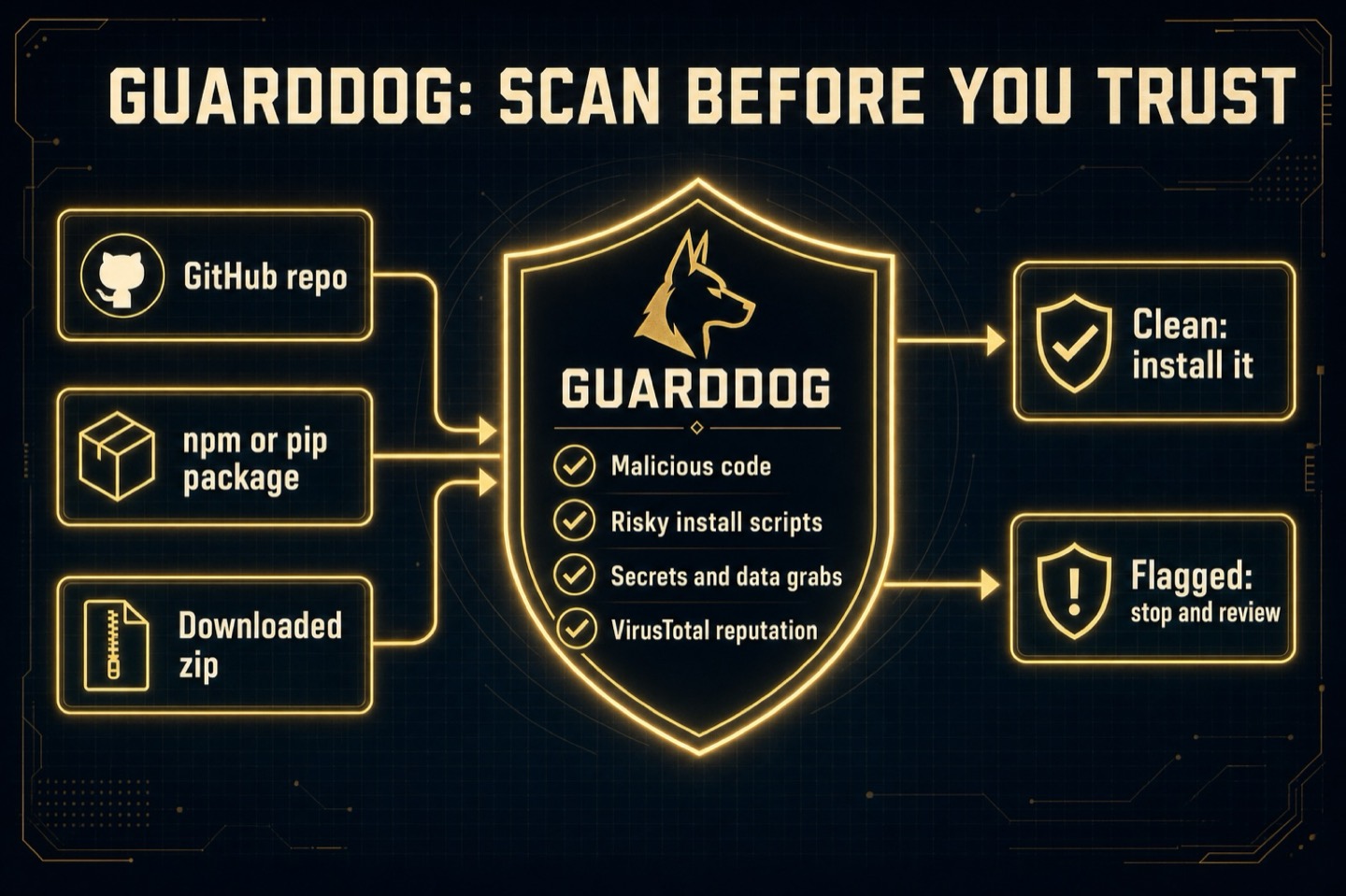
Scan before you trust
Slide 05
Part C, Step 4
A free VirusTotal key
- Free account at virustotal.com, no credit card
- Copy your API key from your profile
- Claude saves it as an environment variable, never in a chat
- Free tier: 500 checks a day, 4 a minute
Your key lives in your computer, never in a conversation.
Slide 06
Part D
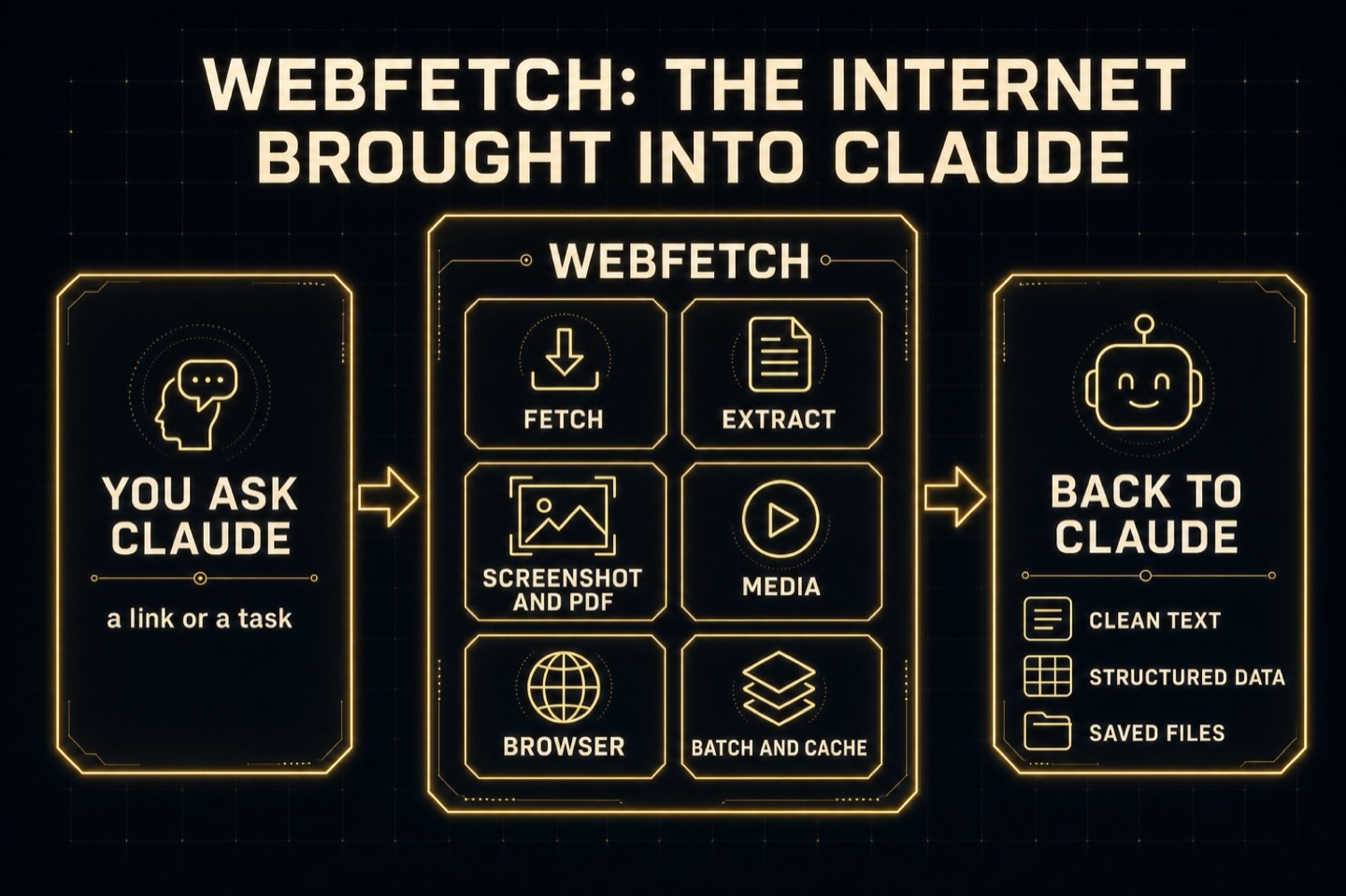
The internet, brought into Claude
Slide 07
Part D, Steps 5 and 6
Two installs, one part
- Step 5: WebFetch. Installs, scans with GuardDog, runs preflight until every tool says installed
- Step 6: Lead Machine. Its own repo, its own install, right next to WebFetch
- Both land in your Tools folder and get added to your SKILLS file
- If one has a hiccup, the other still works
Slide 08
Part E, Steps 7, 8 and 10
Three real jobs
- Pricing research: fetch a pricing page and compare it to yours
- Sales-call prep: research a prospect's site before the meeting
- Media: download the example Instagram video for transcription
Market research in the time it takes to paste a link.
Slide 09
Part E, Step 9
Your first 25 leads
- Claude reads your second brain: what you sell, who you serve, your ideal client
- Unclear? It interviews you, one question at a time, and saves the answers
- WebFetch goes out and pulls back 25 real leads with published contact routes
- Say more for 25 fresh ones. It never sends anything
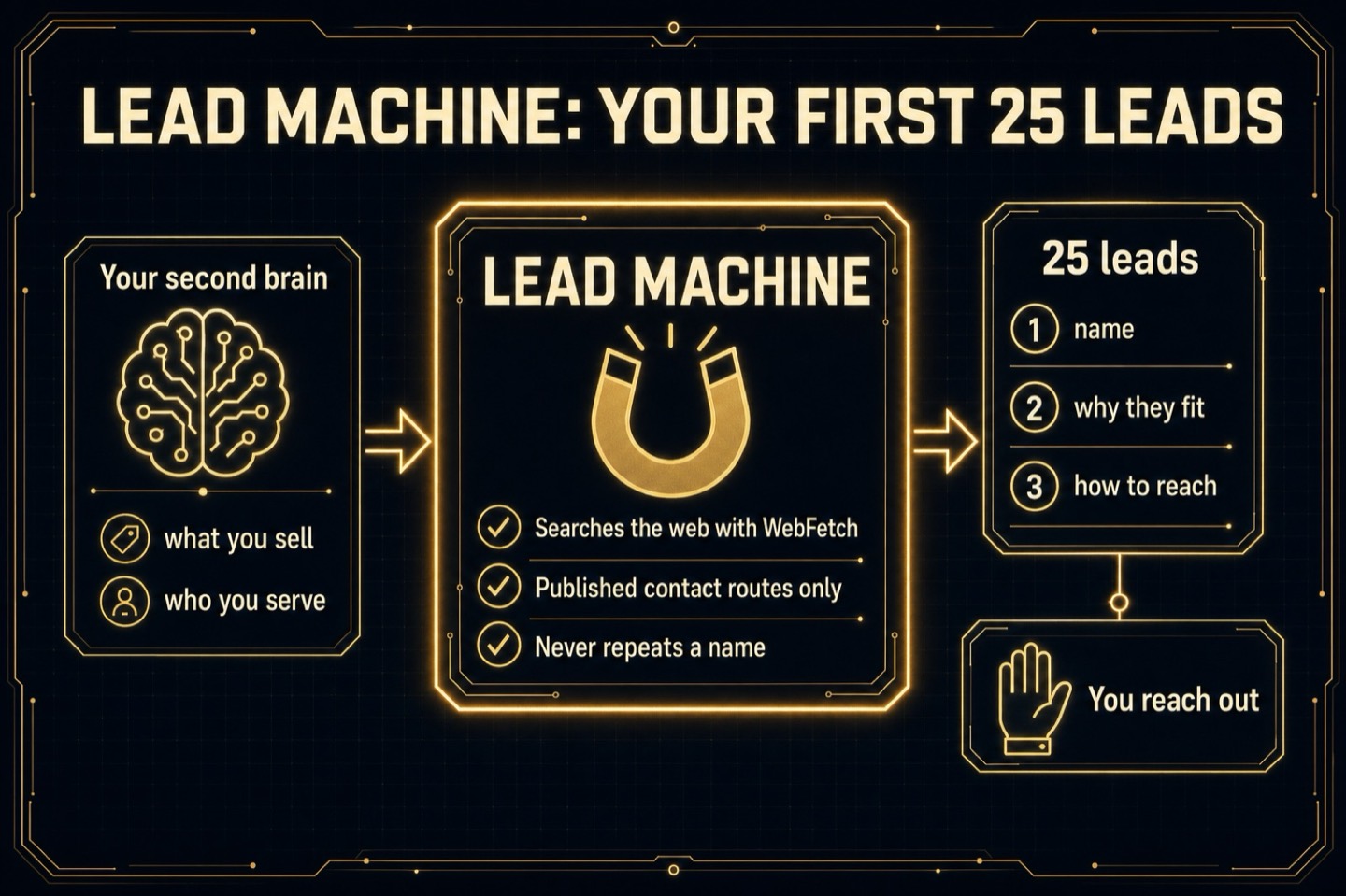
Finding leads is the machine's job. Talking to them is yours.

Slide 10
Part F, Steps 11 and 12
Transcription that stays on your machine
- Install Whisper locally with speaker labels (diarization)
- Transcribe the example video you just downloaded
- Get a transcript and a subtitle file, side by side
- Small model for speed, larger model when quality matters
Slide 11
Part G, Steps 13 to 15
Find it, vet it, install it
- A GitHub repo is free software someone published for anyone to use
- Search for a tool that matches a real need in your business
- Check it is alive: recent updates, real users, a clear README
- Run GuardDog first. Install only if it comes back clean
You never have to wait for someone else to build your tool.
Slide 12
Playtime.
Find one repo that is useful to you.
Vet it. Install it. Run it.
Slide 13
What you built today
Safety first, then power
- GuardDog and a VirusTotal key, scanning everything you install
- WebFetch, bringing the internet into Claude
- Lead Machine and your first 25 leads
- Local Whisper transcription with speaker labels
- The skill to find, vet and install any tool yourself
Slide 14
What will you scan before you trust it?
Which three leads are you contacting this week?
What tool will you go find on GitHub?